
 GEN 1 · Sky Jam NYC · 22s · T2
Free · copies cast, sets and prompts to your workspace · you pay only when you generate
About this template
Each key element is pinned to a reference image and given a name at the very top of the video prompt. The prompt tags the car, the driver NORA and the car's cabin as @Image1, @Image2 and @Image3. It then describes each one in a short visual line: the coupe's wedge shape, light bar and thrusters, NORA's hair, freckles and top, and the cabin's seats, dashboard, yoke and screen. Because every later beat refers back to these names, the exterior, the driver and the interior stay recognisable from the street shots through the flight. The canvas holds 13 reference image nodes in total, with GPT Image 2.5 Flare and Seedance 2.5 as the listed models.
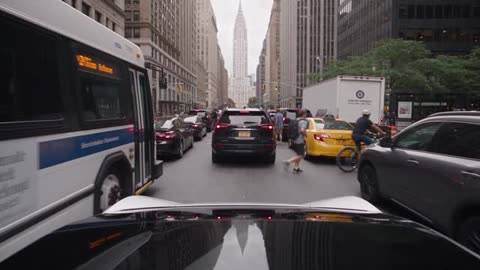
The whole 22-second scene is written as a single prompt split into timecoded beats, generated with Seedance 2.5 at 1080p in 16:9. A one-line logline comes first: NORA is stuck in Manhattan traffic, takes off and finds the sky crowded too. Each beat then sets its own camera, such as a fast push just above the car roofs on East 42nd Street, a side view from the passenger seat, and a close-up on the glowing button in the centre screen. Sound cues like horns, idling engines, a bike bell and a soft chime are added in angle brackets so the audio follows the action. The video shows the payoff beats that follow: the rear thrusters glowing on liftoff, NORA's surprise, a windshield view of dozens of flying cars among skyscrapers, and her hand to her face.
The template contains the reference image nodes for the car, the driver and the interior, plus the timecoded video node that ties them together. To make your own version, replace the images behind @Image1, @Image2 and @Image3 with your vehicle, character and cabin, then update the short description lines so they match. You can keep the beat structure and change the city, the traffic mix or the final reveal. Generate the video, trim it on the timeline and export to mp4 or FCPXML.